

The procedure for the diary entry is described below in detail:
- Talk with your line manager about the quarter’s strategic goals and deliverables.
- Review the deliverables to identify those that have been finished and are still pending.
- Throughout the review time, keep track of your coaching sessions with your line manager.
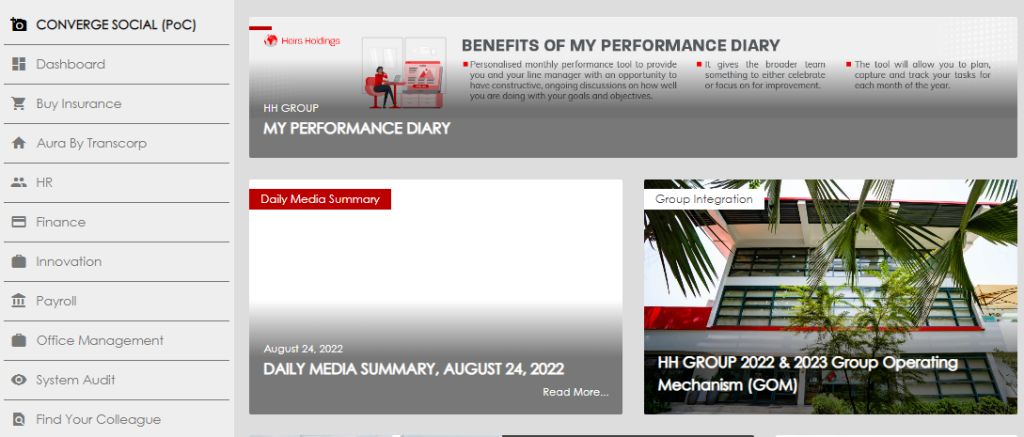
- Click the HR tab in Converge, scroll down, and select “My Performance Diary” to view the journal.
- Select Add Period.
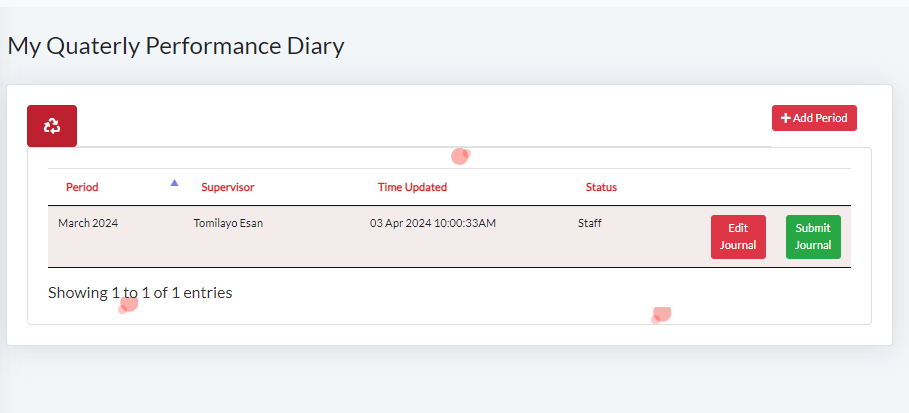
- Select the period and month: for quarterly performance check-ins, select the last month in the review period and click on activate.
- Click on the “Edit journal” tab on your dashboard to fill your journal.
- This routes to the journal
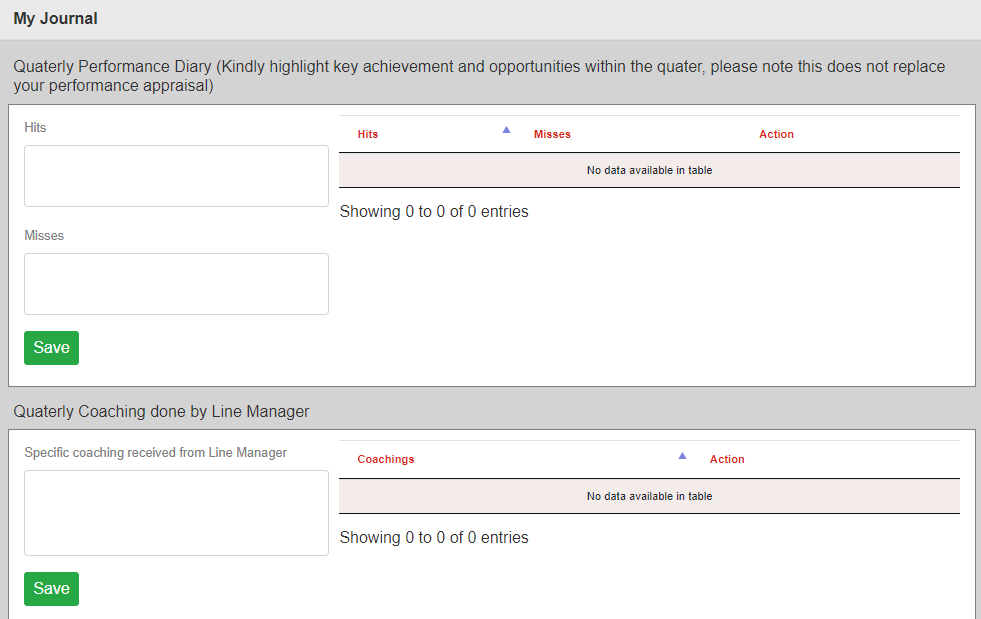
- Hits: The following are completed deliverables for the quarter. Type each one in individually, hit the save button, and continue for the remaining ones.
- Misses: The following are unmet goals for the quarter. The same procedure is used for hits.
- Monthly Coaching: The following are notable moments from the employee and line manager’s coaching meetings during the quarter. Use the same procedure as above.
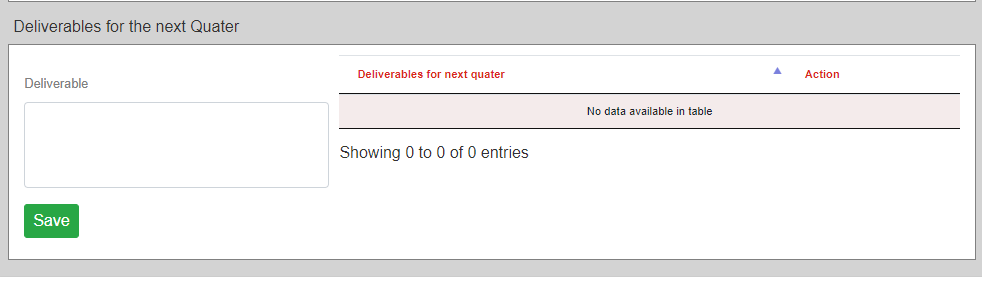
- Next-quarter deliverables: Please describe the next-quarter deliverables here and click the save button.
- Click the close button after filling out the forms.
- Navigate to your dashboard and click on submit journal.